You’ve run the same rooftop array through two different pieces of software, and the annual yield numbers don’t match. Now you’re staring at two reports, a client waiting on a proposal, and a nagging question: which number do you actually put in front of them?
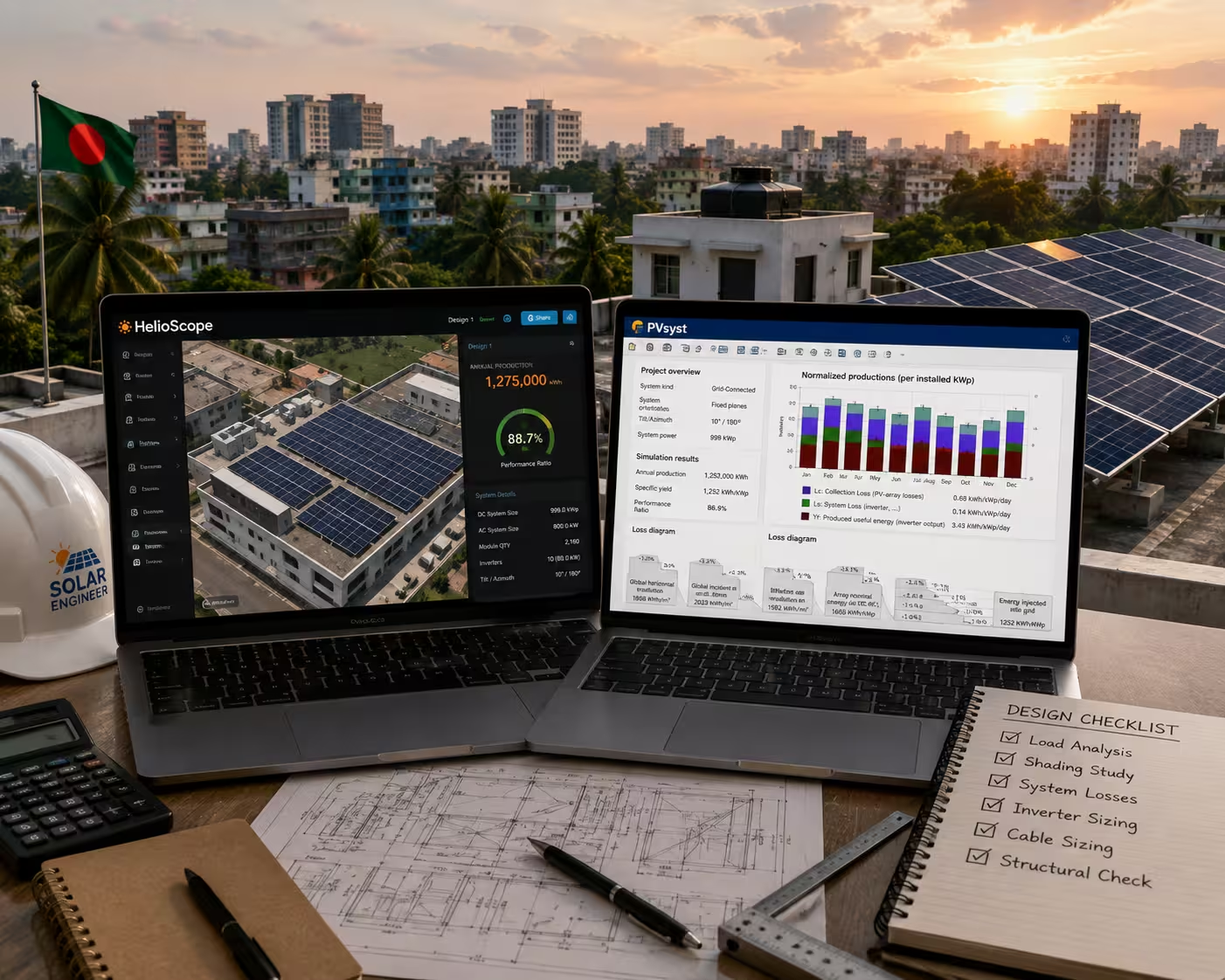
This happens constantly in commercial solar design, and it’s not a bug — it’s a difference in how these tools think. If you design solar systems in Bangladesh, whether for a garment factory rooftop in an industrial zone or a mid-sized commercial building, you’ve probably run into HelioScope, PVsyst, or Aurora (HelioScope’s parent platform) at some point. Understanding what each one is actually built for saves you from second-guessing your own numbers.
What HelioScope, PVsyst, and Aurora Actually Are
PVsyst is detailed simulation software, originally built for engineers who need to model a system down to the individual module and string level. It’s been the reference tool for utility-scale and bankable commercial projects for years, largely because lenders and investors trust its depth.
HelioScope is a browser-based design tool built for speed. You can lay out an array, check shading, and get a production estimate in a fraction of the time PVsyst takes — which matters when you’re turning around proposals for multiple clients in a week.
Aurora Solar is the company that acquired HelioScope, and Aurora now positions HelioScope as its commercial design module inside a broader platform that also handles residential design, proposals, and sales tools. For commercial project work, “HelioScope” and “Aurora’s commercial design tool” are effectively the same thing today.
None of the three is objectively “the best.” They solve different problems at different stages of a project.
HelioScope vs PVsyst: The Core Differences
| HelioScope | PVsyst | |
| Best for | Fast preliminary design, proposals, sales-stage estimates | Detailed, bankable financing-grade simulations |
| Learning curve | Low — usable without deep simulation expertise | Steep — requires understanding of simulation parameters |
| Shading analysis | Geolocated 3D shading, visual and fast | Requires manually chosen desensitizing factors for near-shading |
| Diode modeling | Single-diode IV curve per module | Models individual bypass diodes — more granular |
| Mismatch modeling | Models irradiance and temperature variability at array level | Applies broader adjustments at irradiance/power-conversion stage |
| Typical user | Sales engineers, designers doing high-volume proposals | Engineers producing final financing packages |
| Industry perception | Fast, accessible, increasingly accepted | Long-standing bankability standard |
The two tools can produce results that are close — some published comparisons cite differences of under 1% when both tools use identical assumptions for location, equipment, and losses. Worth noting: that figure comes from vendor-side material comparing the tools under aligned conditions, not an independent third-party audit, so treat it as a directional claim rather than a guarantee for every project.
Why Your Numbers Don’t Match (And How to Fix That)
Mismatches almost never come from one tool being “wrong.” They come from different default assumptions. The usual culprits:
- Different weather datasets. One tool pulling TMY data and the other pulling a different satellite-derived dataset will produce different irradiance inputs before any modeling even starts.
- Soiling loss assumptions. Default soiling percentages vary by tool and region — and in Bangladesh, where dry-season dust and post-monsoon buildup are both real factors, a generic default from either tool is unlikely to reflect your actual site.
- Transposition model choice. Both tools let you choose between the Perez and Hay models for converting horizontal irradiance to plane-of-array irradiance. Using different models between the two tools is a common, easy-to-miss cause of divergence.
- Diode-level vs single-diode modeling. PVsyst’s module-level diode modeling captures partial shading effects more precisely than HelioScope’s simplified single-diode approach. On a mostly unshaded array the difference is negligible; on a site with real shading complexity, it isn’t.
- Mismatch and AC loss entries. If these are set to different values (or left at each tool’s own defaults), your final yield numbers will drift apart even with everything else aligned.
If you want the two tools to agree, the fix is mechanical: use the same weather dataset, the same transposition model, matched soiling and mismatch assumptions, and identical equipment specifications in both platforms. It won’t make them identical — the underlying modeling approaches still differ — but it closes the gap to something explainable rather than mysterious.
Which Tool Should You Actually Use — and When
The honest answer is: most active commercial solar teams end up using both, at different stages.
Use HelioScope/Aurora when:
- You’re producing a proposal or estimate under time pressure
- The client hasn’t committed yet and you need a credible number fast
- You want a clear, visual shading report a non-technical client can understand
- Your team doesn’t have someone with deep PVsyst expertise on staff
Use PVsyst when:
- The project is moving into financing or investor due diligence
- A lender specifically requires PVsyst-based P50/P90 output
- The site has meaningful shading, bifacial modules, or tracking systems where module-level modeling matters
- You need the depth to defend the numbers if they’re challenged later
For a factory rooftop project in an industrial zone like Gazipur, for example, a realistic workflow looks like: HelioScope for the initial layout and client-facing proposal, then PVsyst once the project is confirmed and heading toward financing sign-off. That’s not a compromise — it’s how a lot of commercial EPC teams actually work, because each tool is doing the job it’s genuinely good at.
Cost Is Part of the Decision Too
Licensing is a real factor, especially for smaller Bangladeshi EPC firms working on tighter margins. PVsyst has traditionally been sold as a paid license (with options that vary by term and features), while HelioScope/Aurora typically runs on tiered subscription pricing depending on project volume and features needed. Exact current pricing shifts and varies by license tier and region, so it’s worth checking each vendor’s own site directly rather than relying on a number that may already be outdated by the time you read this — neither company publishes fixed BDT pricing, and reseller/regional pricing in Bangladesh isn’t something we can state with confidence here.
A Bangladesh-Specific Wrinkle Worth Knowing
Both tools were built around US and European markets, where dense ground-station weather data has existed for decades. Bangladesh doesn’t have that same density of long-running local weather stations feeding into these platforms’ datasets. In practice, that often means designers here are leaning more heavily on satellite-derived or modeled irradiance data (the kind of data sources both PVsyst and HelioScope let you import) rather than a robust local TMY file — which is a reasonable workaround, but it’s worth knowing that your input data carries a bit more uncertainty here than it would for a project in, say, California or Germany.
Monsoon-season cloud cover also pushes up the diffuse irradiance fraction for a meaningful part of the year, which is exactly the kind of thing the Perez vs Hay transposition model choice affects. And dry-season dust means soiling-loss assumptions deserve more attention than a generic tool default — this is a genuine local variable, not a box to tick.
On financing: if you’re pursuing bank or investor financing for a commercial project in Bangladesh, it’s worth checking directly with the lender or with current BPDB/BERC and SREDA guidance on what documentation and modeling standard they expect, rather than assuming international norms apply automatically. Local requirements can differ, and they do change.
It’s also worth being upfront that this entire category of software is really an industrial and commercial tool. For a typical home rooftop system, this level of simulation detail isn’t necessary — a simpler sizing approach covers it. Detailed shading and financing-grade modeling starts to matter once you’re designing for factories, commercial buildings, or larger ground-mount systems where a percentage point of accuracy translates into real money.
Where Muspana Fits In
When we design commercial and industrial solar systems, the tool isn’t the point — matching the right level of modeling depth to the stage of the project is. A client evaluating a proposal doesn’t need a PVsyst-grade simulation any more than a bank underwriting a financing package should accept a rough estimate. Understanding that distinction — and accounting for things like Bangladesh’s weather data limitations and monsoon-driven irradiance patterns when producing yield estimates — is part of getting a project from first conversation to a system that actually performs as promised.
FAQs
Is HelioScope as accurate as PVsyst?
For many projects, HelioScope’s results land close to PVsyst’s when both tools use the same location, equipment, and loss assumptions — some vendor comparisons cite under 1% divergence in aligned conditions. But PVsyst’s deeper module-level and diode-level modeling gives it an edge on sites with complex shading, bifacial modules, or trackers, where that extra detail actually changes the answer.
Do I need both HelioScope and PVsyst?
Most active commercial EPC teams end up using both at different stages — HelioScope (or Aurora) for fast proposals and client-facing estimates, PVsyst when a project moves into financing and needs a bankable simulation. Whether you need both depends on your project volume and whether your clients or lenders specifically require PVsyst output.
Which tool do lenders require for financing?
This varies by lender and by project. PVsyst has historically been the more widely accepted standard for bankable financing packages, but requirements differ, and some lenders now accept well-documented HelioScope/Aurora output as well. Check directly with the specific lender or financier involved in your project rather than assuming.
Is PVsyst worth the learning curve for a smaller EPC firm?
It depends on your project pipeline. If you’re regularly pursuing financed commercial or industrial projects, PVsyst’s depth becomes worth the investment. If your work is mostly smaller proposals or preliminary design, HelioScope’s speed and lower learning curve may cover your needs without the added complexity.
Does Bangladesh’s climate affect how these tools should be configured?
Yes. Monsoon-season cloud cover increases the diffuse irradiance fraction for part of the year, which affects the choice between the Perez and Hay transposition models. Dry-season dust also means soiling-loss assumptions need more attention than a generic default. Neither tool ships with Bangladesh-specific defaults, so these settings need to be adjusted deliberately rather than left as-is.
Is Aurora the same as HelioScope?
Aurora Solar acquired HelioScope, and HelioScope now functions as Aurora’s commercial-design module within the broader Aurora platform. For commercial project work, the two names largely refer to the same underlying tool today.