There’s a specific kind of dread that comes with walking past your inverter and noticing the screen is blank, or hearing a beep you’ve never heard before. Your mind jumps straight to the worst case — a burnt-out unit, an expensive replacement, a technician bill you weren’t planning for this month.
Most of the time, that’s not what’s actually happening. The majority of inverter faults come down to a handful of causes, and several of them you can check yourself in a few minutes with nothing more than patience and, in some cases, a multimeter. Others genuinely need a professional, particularly anything involving the inverter’s internal wiring — DC voltage can be dangerous, and this isn’t the place to improvise.
This guide walks through the faults in the order most people actually encounter them: by what you’re seeing, not by technical category.
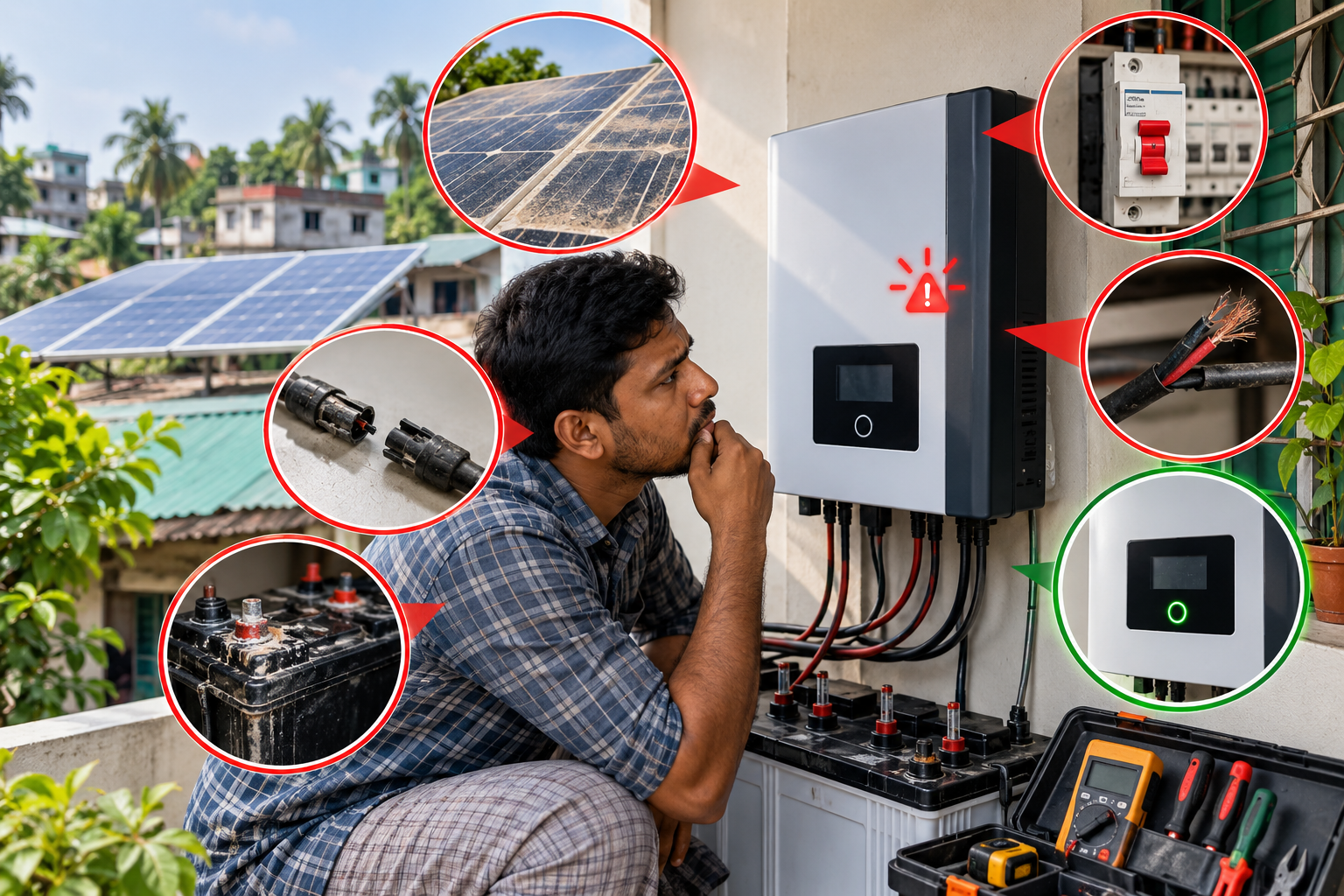
Quick Diagnosis: What’s Your Symptom?
| What you’re seeing | Likely cause | Safe first step | DIY or call a technician? |
| No display, inverter won’t start | Low DC input, disconnected switch, reverse polarity | Check panel connections and isolator switches are on | DIY-safe to check |
| Inverter shows overvoltage/undervoltage or “grid loss” | Loose AC wiring, undersized breaker, grid fluctuation | Check breaker rating and AC terminal tightness | DIY-safe to inspect, professional to rewire |
| Inverter shuts down after running a while | Overheating from blocked vents or dust | Clean vents, check clearance around the unit | DIY-safe |
| Breaker trips repeatedly | Overload or a short circuit | Check connected load against inverter rating | DIY to check load, professional for wiring faults |
| Ground fault or isolation warning | Leakage current, damaged cable insulation | Do not touch wiring — this needs proper testing | Professional only |
| Error code that won’t clear | Voltage surge, communication glitch | Restart the inverter, check for firmware update | DIY-safe to try, professional if it persists |
If your situation doesn’t map cleanly to one row, the sections below go deeper into each.
No Display or the Inverter Won’t Start at All
This is the one that causes the most panic, because a blank screen looks like the unit is dead. Usually, it isn’t.
The most common causes are straightforward:
- Low DC input voltage — the panels aren’t sending enough power, often because it’s early morning, heavily overcast, or a connector has come loose.
- Reverse polarity — the positive and negative DC cables got swapped somewhere in the string, usually during installation or after maintenance work.
- A disconnected switch — the DC or AC isolator was left off, sometimes after cleaning or a recent inspection.
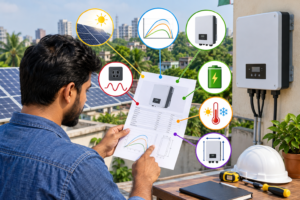
What you can safely check: confirm all isolator switches are in the “on” position, and visually inspect that cables are seated properly at the panel and inverter ends. If you’re comfortable with a multimeter, checking DC input voltage against the panel string’s expected output will tell you quickly whether the issue is upstream (panels/wiring) or the inverter itself.
If everything looks connected and the voltage reads normal but the screen is still blank, that points toward an internal fault, which moves into professional-repair territory.
Grid-Tied Faults: Overvoltage, Undervoltage, and Grid Loss
If your inverter is grid-tied — meaning it feeds excess power back into the utility line, as most on-grid and hybrid systems in Bangladesh do — it’s built to disconnect automatically when it detects unstable grid conditions. This is a safety feature, not a malfunction, though it can look alarming when it happens repeatedly.
Common triggers:
- Loose AC-side connections at the terminal block
- A breaker that’s undersized for the inverter’s output
- Genuine grid instability — voltage sag, surges, or brief outages
This last one deserves an honest mention: grid voltage fluctuation and unplanned load shedding are simply more common on Bangladesh’s distribution network than in markets with a more stable grid. An inverter that trips on grid loss more often here isn’t necessarily faulty — it may just be doing exactly what it’s designed to do in response to real supply variation. That said, if it’s happening constantly even during otherwise stable hours, it’s worth having the AC wiring and breaker sizing checked, since a loose terminal will mimic a grid fault.
Safe to check yourself: whether the breaker feeding the inverter matches its rated output, and whether AC terminals are visibly tight (with the isolator switched off first). Actually opening and re-terminating wiring is a job for a technician.
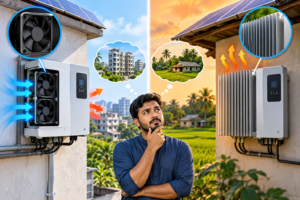
Overheating and Unexpected Shutdowns
Inverters generate heat, and they’re designed with vents and sometimes fans to manage it. When that airflow gets blocked, the unit will shut itself down before it takes damage — again, a protective response rather than a failure.
The usual culprits:
- Dust or debris blocking the intake or exhaust vents
- The inverter installed too close to a wall or in an enclosed space with no airflow
- A failing internal fan (this one needs a professional to confirm and replace)
This is genuinely more relevant in Bangladesh than it might be elsewhere. Dust from nearby construction or unpaved roads settles quickly, and the high ambient humidity through much of the year puts extra strain on any cooling fan that’s already working harder than it should. If your inverter is mounted somewhere exposed to a lot of dust, checking and cleaning the vents every few months is a reasonable habit, not overkill.
What you can do: switch the unit off, let it cool, and gently clean the vents and surrounding area with a dry cloth or soft brush. Confirm there’s clear space around the inverter as the manufacturer recommends — cramming it into a tight utility cupboard defeats the airflow design.
Overload and Repeated Tripping
If the breaker connected to your inverter keeps tripping, the inverter is either being asked to handle more load than it’s rated for, or there’s a short circuit somewhere in the connected wiring.
Overload is common when new appliances get added to a circuit after the original solar sizing was done — a new AC unit or a water heater, for instance, pushing the load past what the inverter was ever spec’d to manage. A short circuit, on the other hand, usually means damaged insulation somewhere and needs proper inspection rather than guesswork.
Safe to check: add up the wattage of what’s actually running on the inverter’s circuit at the time it trips, and compare it against the inverter’s rated capacity (this is usually printed on the unit or in its manual). If the load genuinely exceeds the rating, the fix is either reducing load or reviewing your system sizing — our inverter sizing guide walks through how that capacity is calculated in the first place. If the math checks out and it’s still tripping, that points toward a wiring short, which is not a DIY fix.
Ground and Isolation Faults
This is the one warning you shouldn’t try to work around yourself. A ground fault or isolation warning means the inverter has detected current leaking somewhere it shouldn’t — usually from damaged cable insulation or a compromised earthing connection.
It’s not just an inconvenience; it’s a genuine electrical safety issue. Leakage current can mean live components are less isolated than they should be.
What to do: don’t touch the DC wiring or attempt to trace the fault yourself. This needs proper insulation resistance testing and inspection of the earthing system, which is exactly the kind of work covered under solar earthing done correctly during installation — and exactly the kind of fault that shows why getting that right at commissioning matters.
Persistent Error Codes and Firmware Issues
Some faults are transient — a voltage surge trips a protective alarm, the inverter logs it, and the fault clears once conditions normalize. If your inverter shows a warning that doesn’t correspond to any physical problem you can find, a simple restart often resolves it.
If restarting doesn’t help, checking for a firmware update is worth trying next, particularly for hybrid inverters with app connectivity or smart monitoring. Manufacturers periodically release firmware fixes for exactly this kind of false-alarm behavior.
We’d rather be upfront here than invent specifics: exact error code numbering varies by inverter brand and model, so a code that means one thing on one manufacturer’s display can mean something else on another’s. If you’re troubleshooting a specific code, your inverter’s manual or manufacturer support line will have the accurate mapping — worth checking before assuming the worst.
If you have a monitoring system connected, reviewing the fault history there — see our overview of solar monitoring systems — can also help you spot whether an error is a one-off blip or a recurring pattern worth escalating.
When It’s Actually a Hardware Failure
If you’ve gone through the checks above — connections, load, vents, restart — and the fault still won’t clear, the problem is likely internal: a blown fuse, a damaged circuit board, or a worn-out fan. These aren’t things to open up and inspect yourself. Beyond the safety risk, opening the unit can also affect your warranty coverage, depending on the manufacturer’s terms.
At this point, the honest advice is simple: stop troubleshooting and get a qualified technician involved. If you’re not confident diagnosing further yourself, this is exactly where proper operation and maintenance support — the kind we cover in more depth in our guide to solar operation and maintenance — earns its keep. Muspana’s service side exists for precisely this stage: once a fault moves past what’s safely self-diagnosable, a technician with the right test equipment can confirm what’s actually failed and whether it’s a repair or a replacement, rather than you guessing at either.
Keeping Faults From Happening in the First Place
A lot of the faults above are preventable with a small amount of routine attention:
- Clean vents and check for dust buildup every few months, more often if your site is dusty
- Confirm cable connections remain tight after any maintenance or panel cleaning work
- Keep an eye on your monitoring app or display for early warning signs rather than waiting for a full shutdown
- Don’t add significant new loads to a circuit without checking it against your inverter’s rated capacity
- Have earthing and insulation checked periodically, particularly before monsoon season when humidity is highest
None of this eliminates faults entirely — grid fluctuation, in particular, isn’t something you control — but it meaningfully reduces how often you’ll be standing in front of a blank screen wondering what went wrong.
FAQs
Why is my solar inverter not showing any display?
Usually low DC input voltage, a disconnected isolator switch, or reverse polarity in the panel wiring. Check that switches are on and connections are secure before assuming the unit has failed.
Why does my inverter keep tripping the breaker?
Most often it’s overload — more connected load than the inverter is rated to handle — or a short circuit in the wiring. Compare your connected load to the inverter’s rated capacity as a first check.
Is it normal for my inverter to disconnect during a grid fluctuation?
Yes. Grid-tied inverters are designed to disconnect when they detect unstable grid conditions as a safety measure. Given how common voltage fluctuation and load shedding are on parts of Bangladesh’s grid, occasional grid-loss disconnects aren’t necessarily a fault.
Can I fix a ground fault myself?
No. A ground or isolation fault means current is leaking somewhere it shouldn’t, which is a genuine electrical safety risk. This needs proper testing by a qualified technician, not a DIY fix.
Will opening my inverter void the warranty?
It can, depending on the manufacturer’s terms. If your inverter shows signs of an internal hardware fault, it’s worth contacting a technician or the manufacturer before opening the unit yourself.
How often should I clean my inverter’s vents?
Every few months is a reasonable starting point, more frequently if your installation site is dusty or near construction. Overheating shutdowns are one of the more preventable faults on this list.