
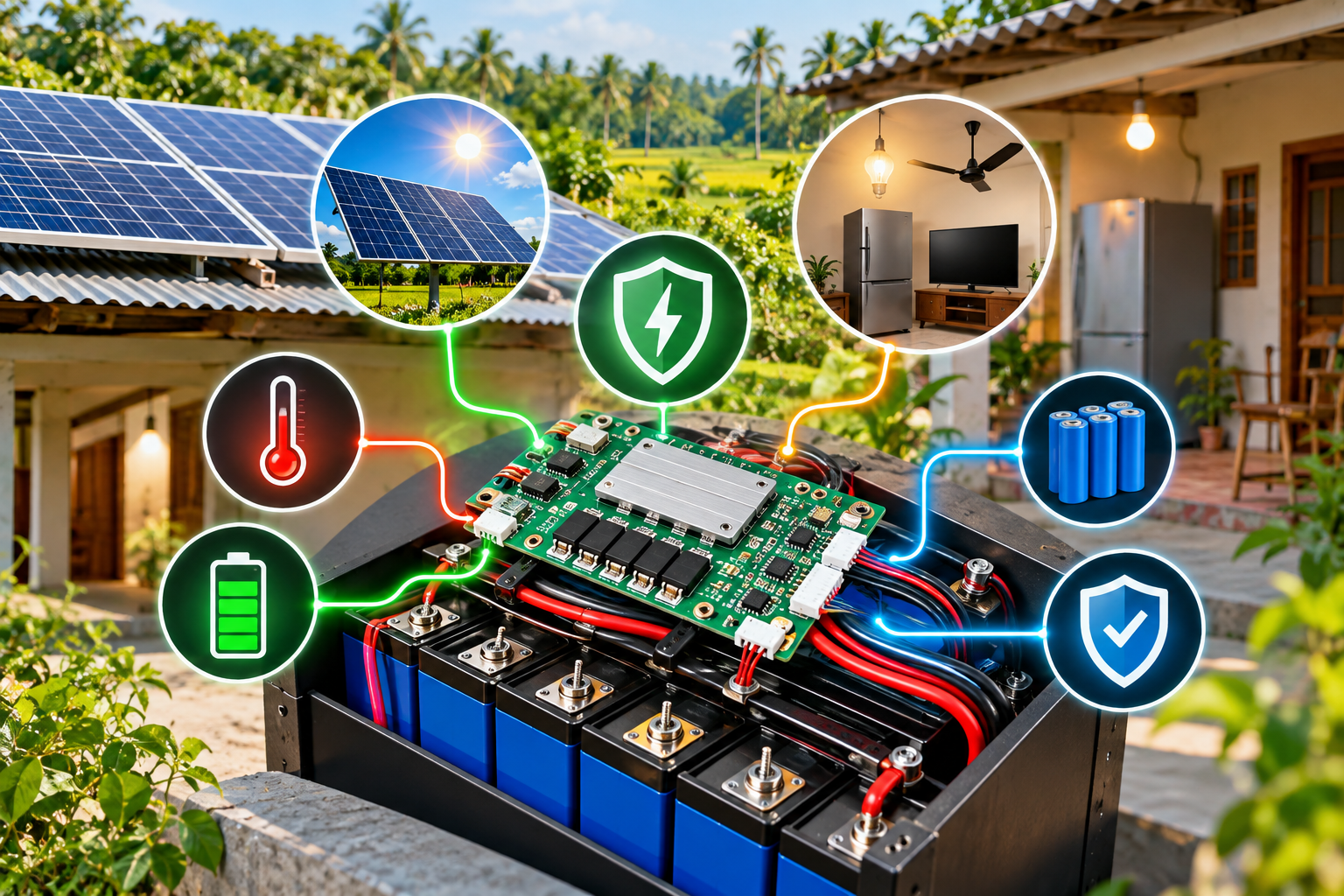
Your Battery Has a Brain, and It’s Working Overtime During Load-Shedding
Somewhere inside every lithium battery pack — the one powering your solar system, your IPS, or your factory’s backup unit — sits a small circuit board doing a job most owners never think about. It’s not the battery cells themselves. It’s the Battery Management System, or BMS, and it’s quietly deciding, thousands of times a second, whether it’s safe to keep charging, keep discharging, or shut everything down right now.
If you’ve ever wondered why your neighbor’s cheap lithium battery swelled up and stopped holding charge after eight months, while a similarly priced one from a different supplier is still going strong three years later, the BMS is very often where that story splits.
So What Exactly Is a BMS?
A Battery Management System is the electronic controller built into a rechargeable battery pack that monitors and manages how the battery charges, discharges, and ages. Think of it as a referee that never leaves the field — it watches voltage, current, and temperature continuously, and it’s allowed to intervene the moment something crosses a safe limit.
This matters specifically for lithium-ion and LiFePO4 batteries — the kind increasingly used in solar systems and modern IPS units across Bangladesh — because these chemistries don’t tolerate abuse the way old lead-acid batteries did. A lead-acid battery that’s overcharged a little will just get warm and lose some water. A lithium cell that’s overcharged, over-discharged, or allowed to overheat can degrade permanently within one incident, or in rarer cases, enter thermal runaway. That’s the technical term for the chain reaction behind the battery fire stories you may have seen in the news. The BMS exists specifically to make sure that never happens under normal use.
This is also the real reason lithium batteries cost more than lead-acid ones of similar capacity — you’re not just paying for the cells, you’re paying for the protection system built around them.
What a BMS Actually Does, in Plain Terms
Strip away the engineering language, and a BMS is really doing three jobs at once.
Protection. It continuously tracks voltage, current, and temperature across the battery, and disconnects the circuit the instant any cell moves outside a safe range. This is the function that prevents fires, prevents explosions, and prevents the kind of permanent cell damage that quietly shortens a battery’s life without you noticing until it’s too late.
Cell balancing. A battery pack isn’t one big cell — it’s dozens of smaller cells wired together, and they never age at exactly the same rate. Without balancing, the weakest cell in the pack limits how much of the battery you can actually use, and it degrades faster than the rest. The BMS shifts small amounts of energy between cells so they stay level, which is what lets you use closer to the battery’s full rated capacity for longer.
State estimation. This is what powers the percentage number you see on your inverter display or battery app. The BMS calculates State of Charge (SOC) — essentially a fuel gauge — and tracks State of Health (SOH), which reflects how much the battery has aged compared to when it was new. A battery whose SOC readings jump around erratically, or whose SOH drops fast, is often telling you something about the BMS as much as the cells themselves.
Centralized vs. Distributed: Does It Matter for a Home Battery?
BMS designs vary depending on how big and complex the battery system is. For most home solar or IPS batteries in Bangladesh, this distinction is simpler than it sounds — but it’s worth understanding what you’re actually buying.
| Type | How it works | Typical use case | Trade-off |
| Centralized | One controller manages all cells | Home solar batteries, small IPS units | Simple and low-cost, but a single point of failure |
| Distributed / Modular | Multiple smaller controllers manage sections of the pack | Large systems — EVs, grid-scale storage, industrial battery banks | Better scalability and redundancy, but higher cost and complexity |
Almost every residential lithium battery sold for solar or IPS use in Bangladesh runs a centralized BMS, and that’s perfectly appropriate — it’s not a compromise, it’s the right tool for the size of the job. Distributed systems start to make sense once you’re looking at large industrial storage banks, where losing one controller shouldn’t take down the whole system.
What’s Actually Inside It
For readers who like to know what they’re paying for, a BMS isn’t just software — it’s a combination of sensors and hardware working together: voltage sensors and current shunts, NTC thermistors for temperature, an Analog Front-End (AFE) chip that takes precise measurements across the cells, protection MOSFETs or contactors that physically switch the circuit off when needed, and often a communication module — CAN bus for industrial systems, Bluetooth for the app on your phone that shows your battery’s status.
You don’t need to memorize this list to buy a good battery. But it’s useful to know that “BMS” isn’t one standardized part — it’s a system that can be built cheaply and minimally, or built with proper redundancy and quality components. That difference isn’t visible from the outside.
Why This Matters More in Bangladesh’s Conditions
Two things about how batteries actually get used here make the BMS more important than the average international guide will tell you.
Frequent charge-discharge cycling. In areas with regular load-shedding, a backup battery isn’t sitting idle and topped up — it’s cycling far more often than a battery in a country with stable grid power. Every charge-discharge cycle is a moment where the BMS’s balancing and protection functions are doing real work. A weak BMS under this kind of repeated cycling shows its limitations faster than it would in a country where the battery rarely has to work this hard.
Heat and ventilation. Rooftop installations, apartment utility spaces, and small shop back-rooms in Bangladesh are often hot and poorly ventilated for much of the year. Lithium batteries already generate some heat during charging and discharging, and the BMS’s thermal protection is what keeps that heat from becoming a problem. A battery installed in a cramped, sun-exposed space is leaning on its BMS more than one in a cool, ventilated utility room — worth factoring in when you’re choosing where to install it, not just which battery to buy.
There’s also a market reality worth naming plainly: a meaningful share of lithium batteries sold locally are imported without clear documentation of what’s actually inside the BMS. That’s not a reason to avoid lithium — it’s a reason to ask better questions before you buy, which is the next section.
How to Tell If a Battery’s BMS Is Actually Good
You can’t open the case and inspect the circuit board, and you shouldn’t have to. What you can do is ask the right questions and watch for the right signs.
Before buying, ask your supplier:
- Does the battery have over-voltage, under-voltage, over-current, and over-temperature protection built in? (This should be a yes, not a maybe.)
- Does it include active cell balancing, or none at all?
- Is there any certification or test documentation for the BMS specifically, not just the cells?
- What happens if one cell in the pack fails — does the whole unit shut down safely, or is that undefined?
After buying, signs your BMS is doing its job well:
- SOC percentage behaves consistently and doesn’t jump erratically
- The battery charges to full and holds a steady voltage near full charge, rather than fluctuating
- No unusual heat during normal charging under normal ambient conditions
- The battery shuts down cleanly rather than cutting out abruptly under load
Signs worth taking seriously:
- The battery swells, feels unusually warm at rest, or has an odd smell — stop using it and have it inspected
- Capacity drops noticeably faster than the warranty period would suggest
- The battery fails to hold a full charge within its first year of normal use
None of these signs are proof on their own, and a single overheating incident could have other causes too. But taken together, they’re the most honest way to judge a BMS you can’t see.
A Question Worth Asking Before You Retrofit
If you’re upgrading an old lead-acid battery bank to lithium, it’s worth knowing that you cannot simply add a generic BMS to an existing pack the way you’d add an accessory. The BMS is engineered specifically for the cell chemistry, voltage, and capacity of the pack it’s built into — it’s not an add-on component you retrofit onto batteries that weren’t designed with one. If you’re moving to lithium, the BMS should come as part of a purpose-built battery, not as something bolted on afterward.
Where This Fits Into a Bigger Solar or Backup System Decision
A battery’s BMS is one part of a larger system that includes your inverter, your charge controller, and how the whole setup is sized for your actual load. When Muspana evaluates battery and inverter packages for a solar or hybrid system, BMS quality is one of the factors considered alongside capacity, chemistry, and warranty — because a battery that looks identical on a spec sheet can behave very differently over three years of Bangladesh’s cycling and heat conditions. If you’re comparing quotes and battery brands aren’t listing much about their BMS, that’s worth asking about directly rather than assuming it’s fine.
FAQs
What does BMS stand for in a battery?
BMS stands for Battery Management System — the electronic controller that monitors and protects a rechargeable battery pack, most commonly found in lithium-ion and LiFePO4 batteries.
Do lead-acid batteries need a BMS?
No, not in the same way. Lead-acid batteries are far more tolerant of overcharging and voltage swings, so they don’t require the same active protection circuitry that lithium batteries do.
Can a BMS fail?
Yes. Like any electronic component, a BMS can fail or degrade, which is one reason unusual battery behavior — erratic charge readings, unexpected shutdowns, or unusual heat — shouldn’t be ignored even if the battery itself seems fine.
Does a cheap lithium battery actually have a working BMS?
Most lithium batteries sold today include some form of BMS, since the cells generally can’t function safely without one. The real question isn’t whether it has one, but how good it is — how many protections it includes and whether it balances cells actively. Asking your supplier directly about these features is more reliable than judging by price alone.
Can I add a BMS to an old lead-acid or unprotected battery?
Not really. A BMS is designed specifically for the chemistry, voltage, and configuration of the battery pack it’s built into. If you’re upgrading to lithium, the BMS should come as part of a purpose-built battery rather than as something added afterward.
Does load-shedding damage my battery’s BMS?
Load-shedding itself doesn’t damage the BMS, but it does mean your battery cycles more often than it would with stable grid power. This puts more regular demand on the BMS’s protection and balancing functions, which is exactly what it’s designed to handle in a well-built battery.